Add a spot three ways.
Tap the map, search for a place or use your location, then say what the ground is like there: it changes the wind at your height.
 RotorcastDrone weather for iPhone
Every hour of the forecast, judged against your own drone’s limits, with what stops it named: gusts at its height, rain, cold, fog, Kp or the dark.
Free for one spot, one drone and the next 24 hours. Rotorcast Plus, for ten days, is £1.99 a month or £12.99 a year; new subscribers get 7 days free.
Go = inside your drone’s limits. Not an airspace or legal check.
The Forecast
The verdict for now comes first, with the time left and what ends it. Under it, the next 24 hours of whatever limits your drone most, usually gusts at its height, against your own limit. Drag along the chart to read any hour.
Now
Inside every limit until 12:00, then gusts rise
Gusts 16.1 mph · Wind 9.8 mph
9.4°C · Rain chance 10% · Kp 3.67
Hour detail
01
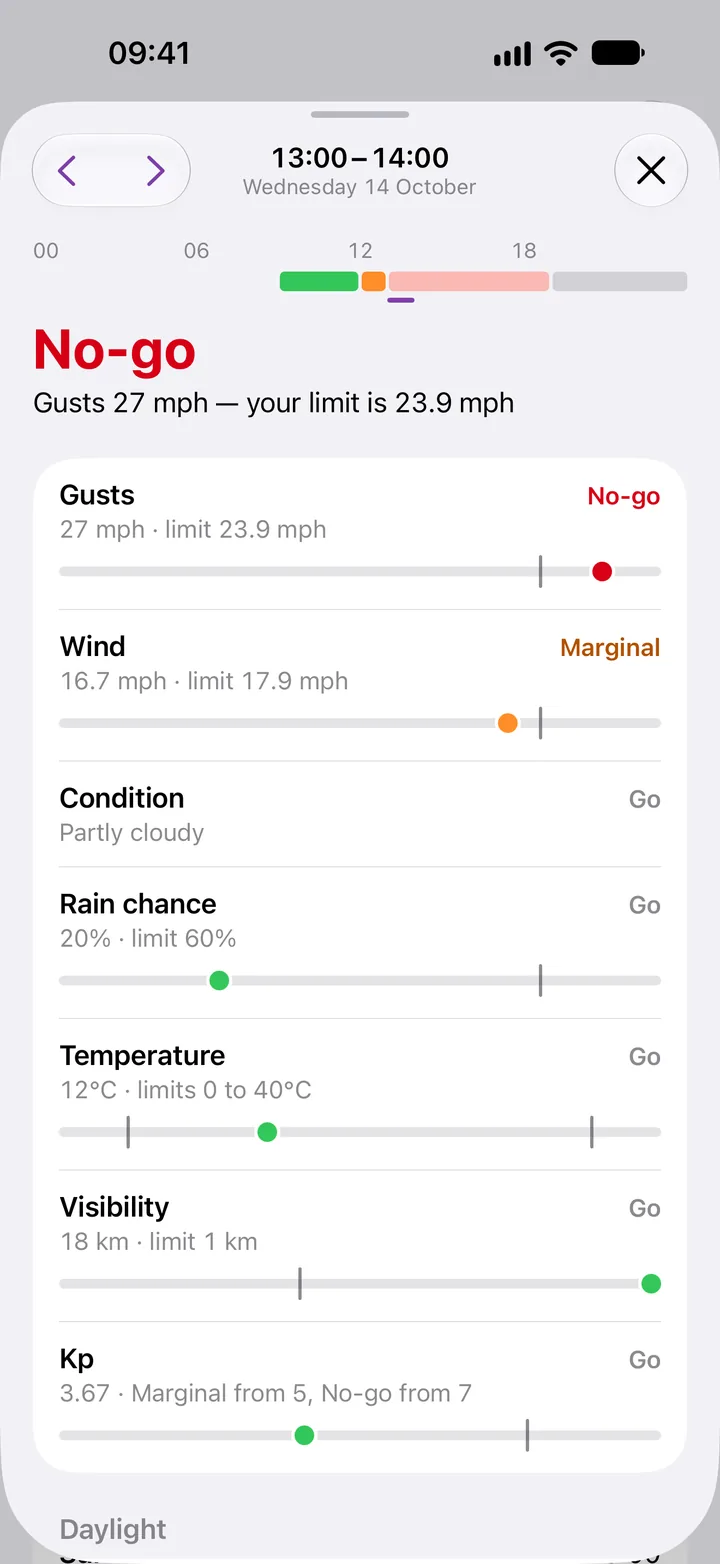
Every hour opens to every factor against its limit, the one that decides it first: gusts, wind, the weather itself, rain chance, temperature, visibility and Kp.
02
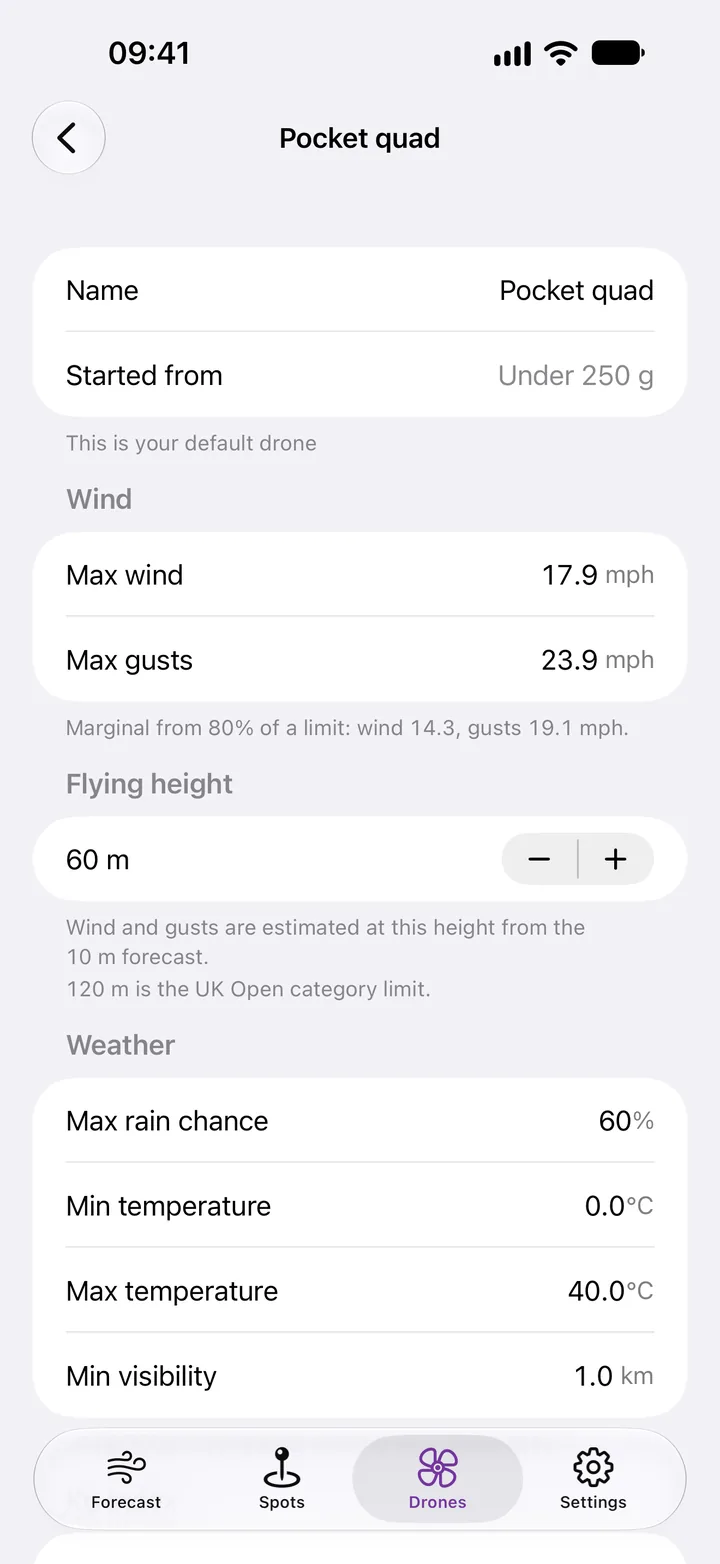
From 80% of a wind, gust or rain limit an hour turns Marginal, so you see trouble coming. Start from a preset for your drone’s weight, then set every limit yourself.
Wind at height
Forecasts give the wind 10 metres up. Rotorcast works out wind and gusts at the height you fly, for open ground, trees and houses or town, and says how it got the figure.
Estimated at 60 m from the 10 m forecast for open ground.
At 60 m
Pre-flight checklist
01
Tick your own checks on site: six to start with, and any of your own for each drone.
02
The same screen opens NATS’s airspace map and the CAA’s Drone Code in your browser. Rotorcast doesn’t check airspace or whether a flight is legal.
09:41
6 of 6 checks
Batteries charged
Propellers checked
Firmware and app up to date
Operator ID on the drone
Airspace checked
Weather checked on site
Airspace and rules
Open the Drone Code
Open the NATS airspace map
Opens in your browser. Rotorcast doesn’t check airspace.
And the rest
Tap the map, search for a place or use your location, then say what the ground is like there: it changes the wind at your height.
Checklist history keeps each run you finish: the spot, the drone, the checks ticked and whether you opened NATS’s airspace map.
Hours between civil dusk and civil dawn at the spot are Night, and never Go unless you change that for a drone.
The last forecast stays readable offline, with how old it is; after a day, Rotorcast says it may be out of date.
Export your spots and drones, and your checklist runs, on every plan.
Plans
£0
With no time limit.
£1.99 a month
Or £12.99 a year.
New subscribers get 7 days free. Plus renews until you cancel it in your Apple Account settings, and if it ends nothing is deleted.
Questions
No. Go means the forecast is inside the limits you set for your drone. Rotorcast holds no airspace data and doesn’t check airspace or the law; its checklist opens the CAA’s Drone Code and NATS’s airspace map in your browser.
Rotorcast treats Apple Weather’s wind and gusts as the standard 10-metre forecast and scales both to your drone’s flying height, from 10 to 120 metres, for the ground at the spot: open ground, trees and houses, or town. It’s an estimate, and Hour detail says how it was made.
From Apple Weather, and the Kp index from NOAA’s Space Weather Prediction Center.
It shows the last forecast it fetched, marked offline with how old it is. A new forecast needs the internet.
No. There’s no account, no analytics and no ads. Your spots and drones stay on your iPhone; a spot’s coordinates go to Apple Weather to fetch its forecast.
One spot, one drone and the next 24 hours, with Kp, daylight and the checklist, and no time limit. Rotorcast Plus adds ten days, every spot and drone, the widgets and the 07:00 notification for £1.99 a month or £12.99 a year, and new subscribers get 7 days free.
RotorcastDrone weather for iPhone
For iPhone with iOS 26 or later.