Your records stay yours
No account. Your watches live on your iPhone and in your own iCloud, with a backup file in Files every week and CSV or JSON export on every plan.
 CrownwindSeconds a day and service log
Crownwind measures how many seconds a day each mechanical watch gains or loses. You tap as its seconds hand reaches 12; Crownwind shows true time, from your iPhone’s clock checked with Apple’s time server.
Two watches free, with unlimited syncs. Crownwind Plus adds every watch you own, for £1.99 a month or £12.99 a year.
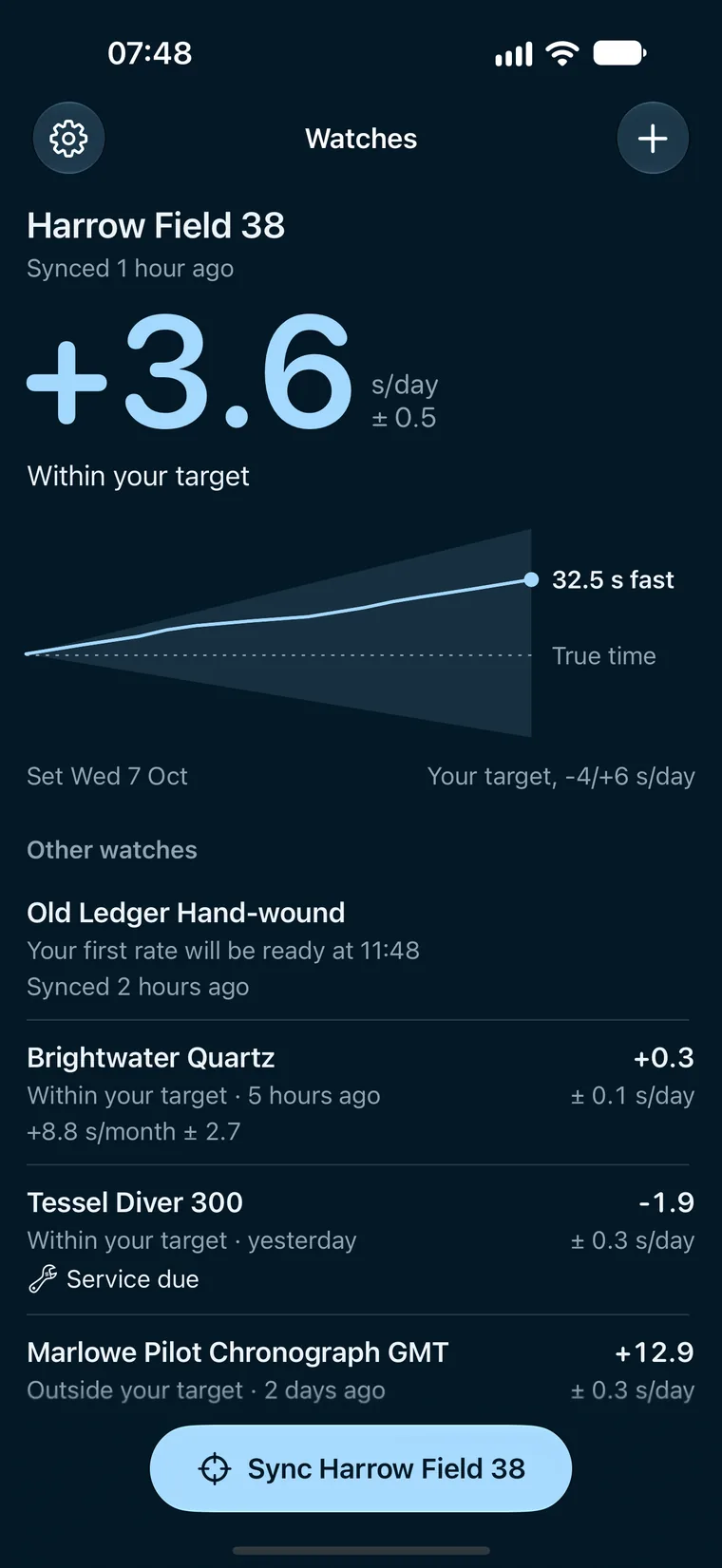
32.5 s fastIts seconds hand reached 12 at 06:46:27.5+3.6 s/day over nine days
Sync
01
When Sync opens, Crownwind asks Apple’s time server how far your iPhone’s clock is out, then counts true time to a tenth of a second.
02
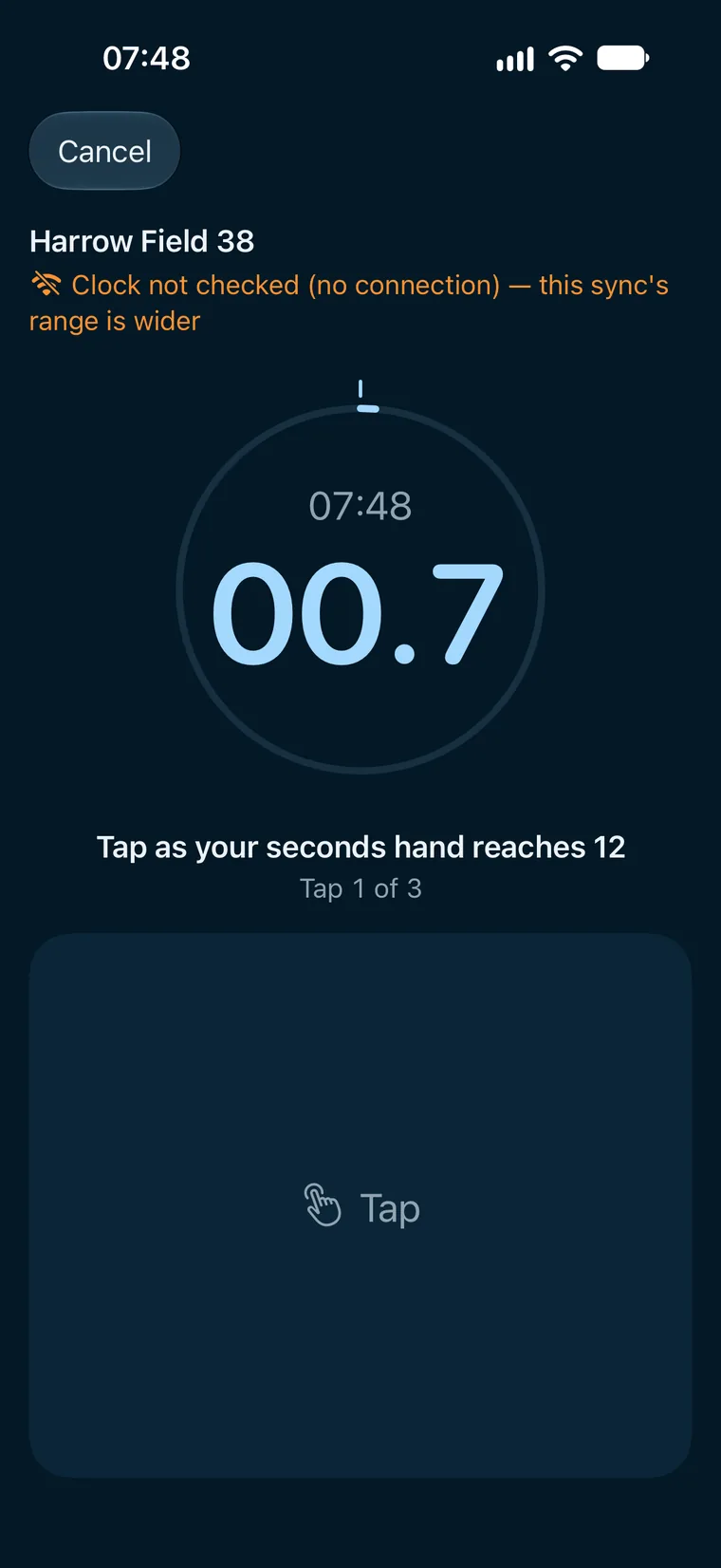
Once a minute, three minutes running. You watch the watch, not the phone: the lower part of the screen is the button, and it takes the moment your finger lands.
03
A wheel opens on the minute your watch should be showing, worked out from its last sync and its rate. Confirm it, and the sync is saved.
The drift
Each sync adds a point: how far the watch has run from true time since you set it. The shaded cone is your target, so while the line stays inside it, the watch is within your target.
Honest numbers
01
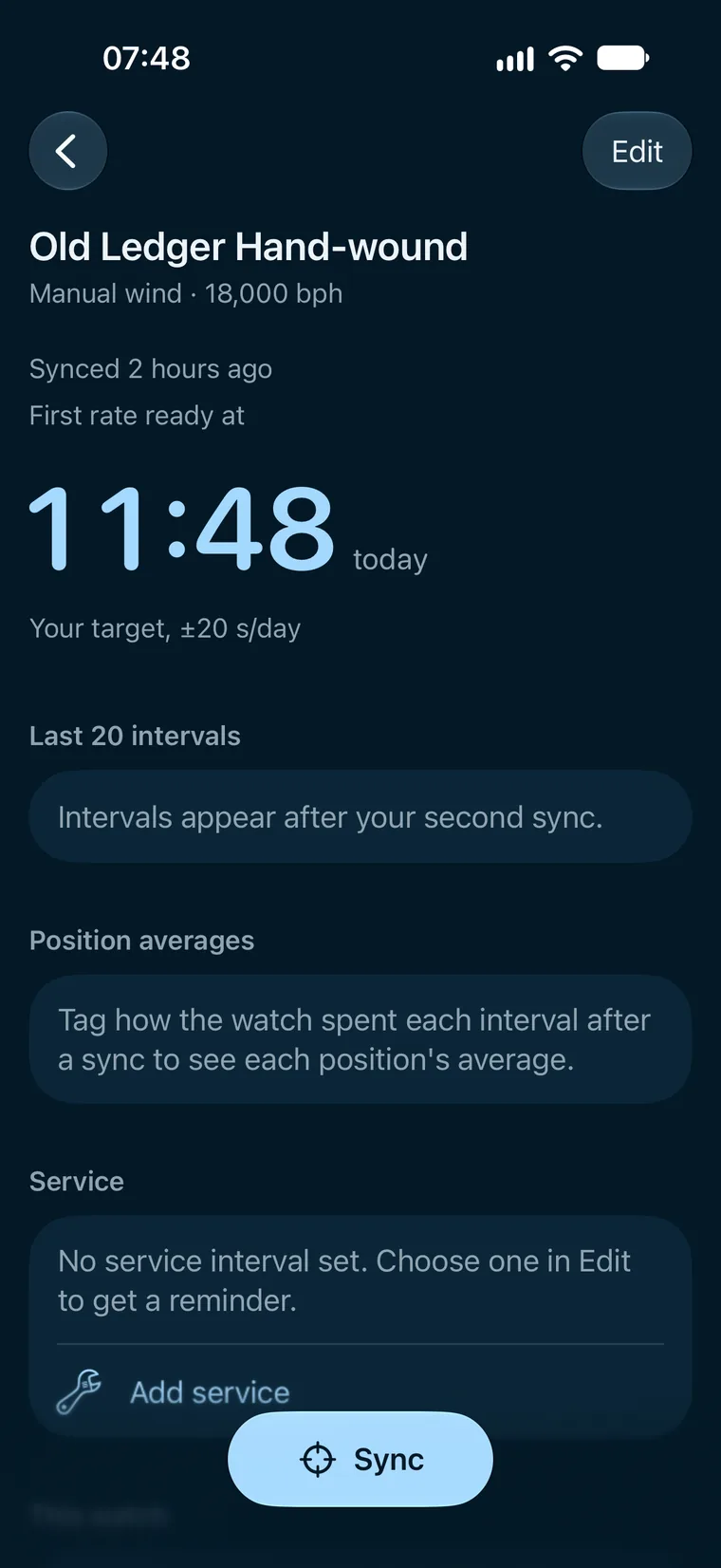
One sync is a starting point, not a rate. Crownwind tells you when the first rate will be ready, and that 24 hours gives the best one.
02
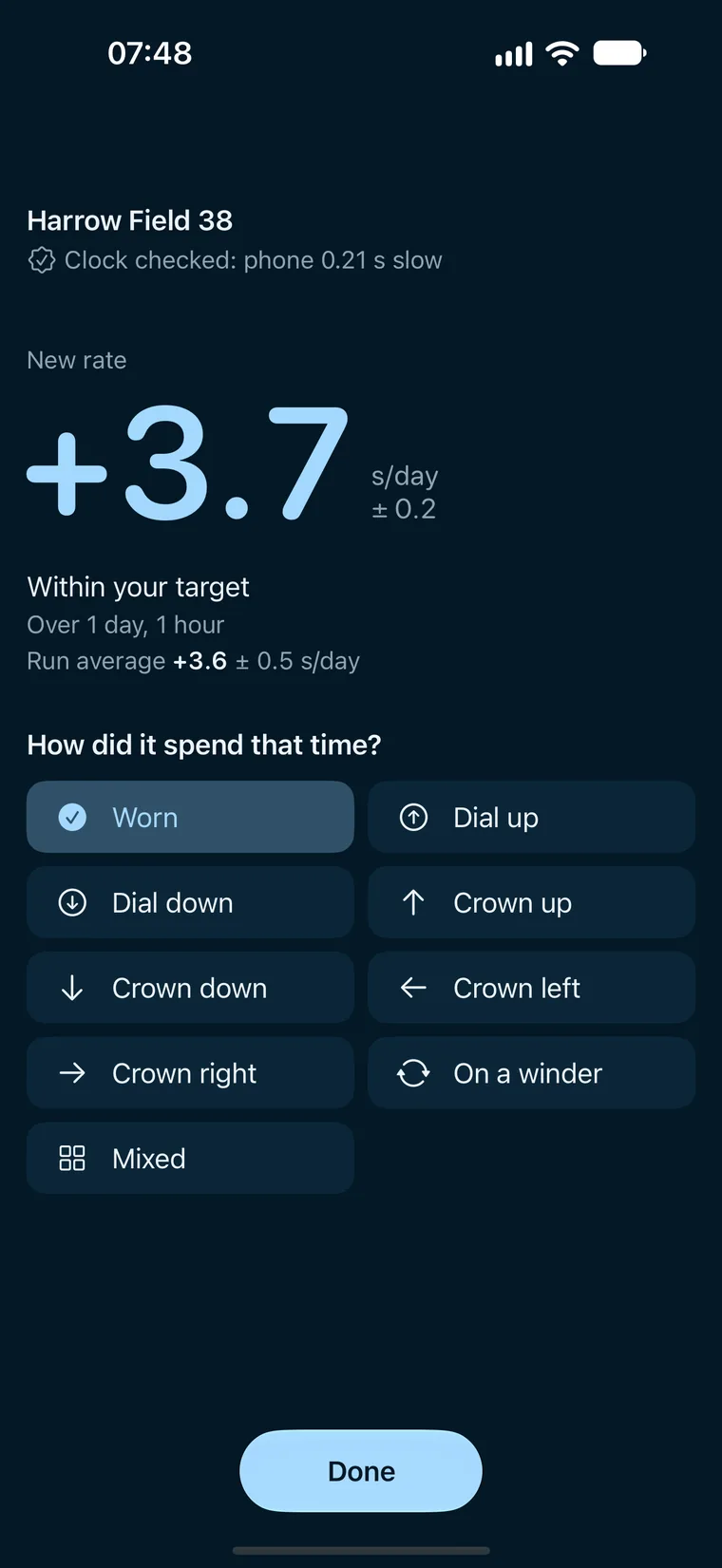
Closer taps and checked clocks give a narrower range, and so does more time between the two syncs.
03
With no connection the sync is kept, marked “Clock not checked”, and the rate it gives has a wider range. Nothing runs on a server of ours.
Positions
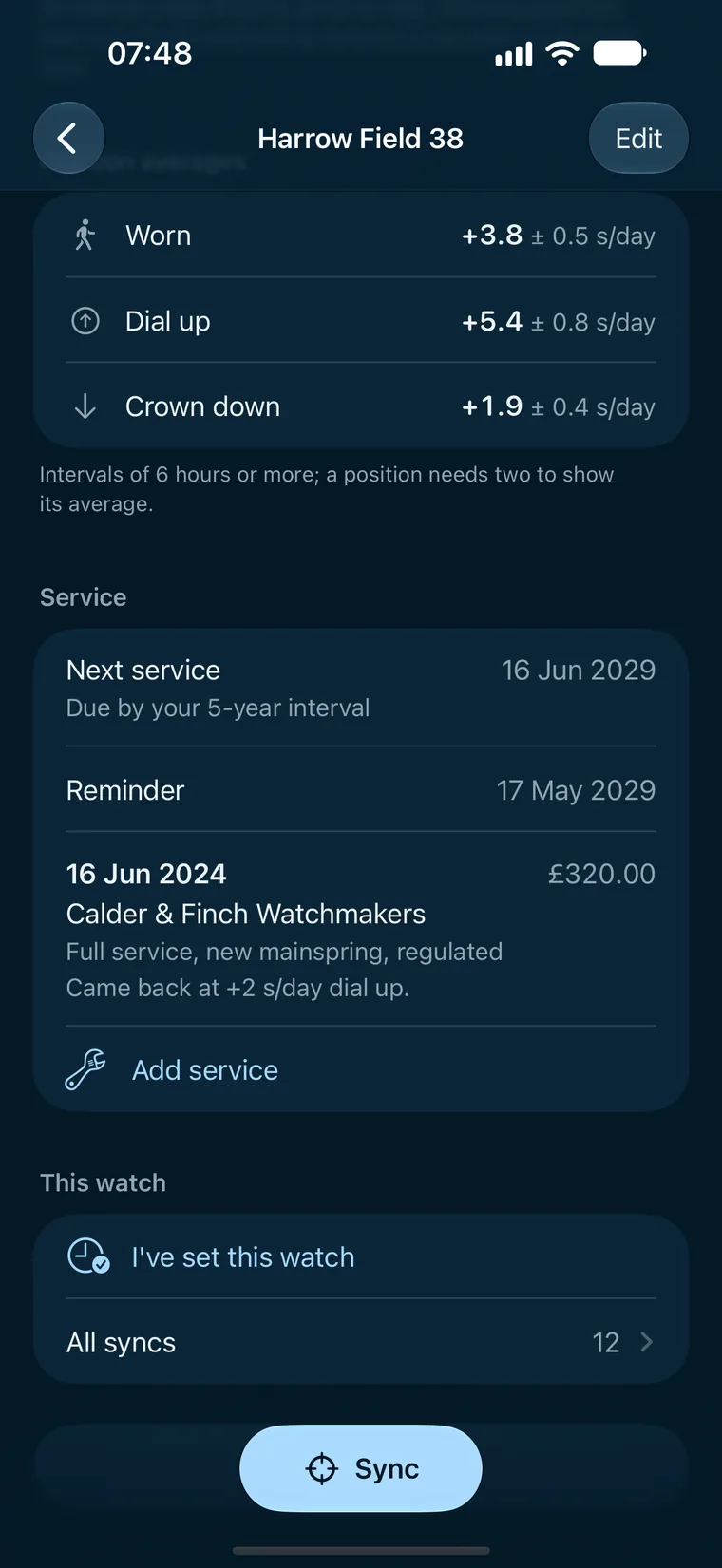
After a sync, say how the watch spent the time: worn, dial up, crown down, on a winder and the rest. With Plus, each position shows its own average once it has two intervals.
Harrow Field 38, Wed 7 to Fri 16 Oct. Each tick is one interval of 6 hours or more; the ring and its line are that position’s average and range.
Service log
01
The date, who did it, the cost, the work done and a note, for every watch you own.
02
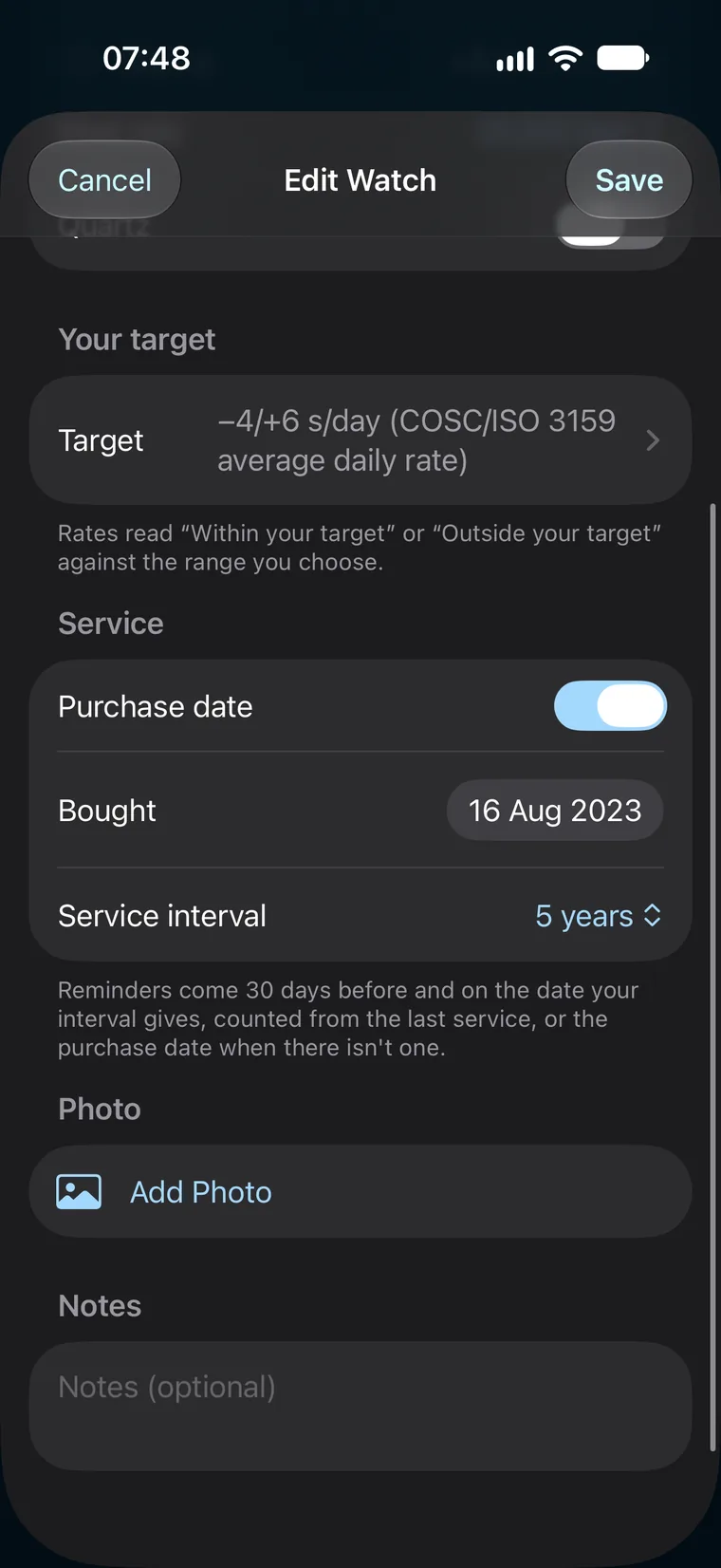
Choose how often you have it serviced, and Crownwind reminds you 30 days before and on the day. The service log is part of Plus.
And the rest
No account. Your watches live on your iPhone and in your own iCloud, with a backup file in Files every week and CSV or JSON export on every plan.
Taps more than a second apart? Try again, or keep it as rough and its rates show a wider range.
Set your watch and say so: the next sync starts fresh, so the time you set it isn’t counted as drift.
The same taps measure a quartz watch, with its rate in seconds a month as well.
If your iPhone’s clock was changed, or it restarted, between two syncs that weren’t both clock-checked, that interval is marked and left out of every average.
How it compares
Plans
£0
£1.99 a month
or £12.99 a year
Questions
No. There’s no microphone or audio recording anywhere in it. You tap as the seconds hand reaches 12, and Crownwind compares that with your iPhone’s clock, checked against Apple’s time server.
Six hours after the first sync at the earliest, and 24 hours gives the best. After a first sync, Crownwind tells you the time the first rate will be ready.
No. You don’t need to put your watch on or near your phone: you look at its seconds hand and tap the screen.
Yes. A sync with no connection is kept, marked “Clock not checked”, and the rates it gives have a wider range.
Two watches with unlimited syncs, rates, charts and export cost nothing, for good. Crownwind Plus is £1.99 a month or £12.99 a year, and adds every watch you own, the service log with its reminders, and position averages.
No. It measures the rate over hours by eye, so it doesn’t give beat error or amplitude. Its results are measurements you make by hand: estimates, not a certification of any watch.
CrownwindSeconds a day and service log
Add your first watch, sync it this morning, and sync it again tomorrow.